Scheduling your backup is simple
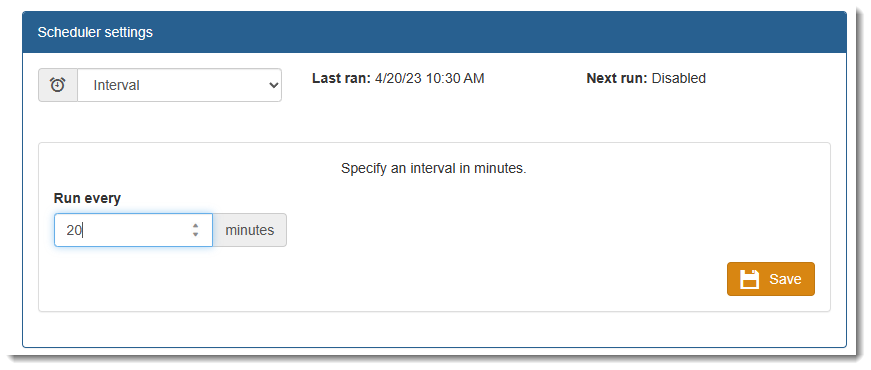
•Select one of the scheduler option available (run daily or in a define interval or disable the backup(1)) If interval is selected, enter the time interval the backup must run. You can run the backup client program as often as you wish to synchronize your files
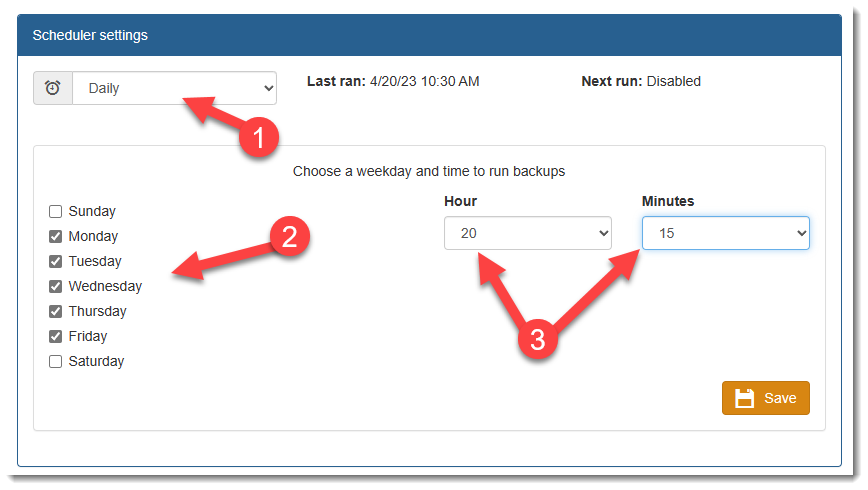
•Daily Backup (1)
•Identify which days the backup is to run by entering a check mark (2) next to the days you would like your files to be backed up (2)
•Choose a time (in Hours and Minutes(3)).
•Select the Save button to save your settings.
In the Job History screen Users can run manual backups at any time and review the results of backups.
IMPORTANT:
Use the Save button to save your Profile settings
|