MY SQL Plugin
The Backup can efficiently backup and restore a running instance of MySQL server. This page demonstrate how to configure the MySQL plugin inthe Backup client. It also talks about some pre-requisites and other important information to keep in mind.
Prerequisites
•MySQL Server and Accra Backupclient must be on the same machine
•Permissions on MySQL must be configured correctly to allow localhost to connect to the server.
•User that runs backup must have access to the database.
Background Info
Backups to MySQL server is run in two steps:
•First, Accra Backupissues a SELECT * INTO OUTFILE commands against every table, which creates a local files containing a backup of the database.
•Accra Backupclient then copy these files to a remote machine
•Accra Backupcreates two script files during backup:
1.schema.sql - contains the schema of the entire database necessary to recreate it
2.restoreDB.sql - contains LOAD DATA INFILE statements necessary to populate tables.
Configuration
•Start Accra BackupClient, and select your desired profile.
•Click the right mouse button on the left hand side.
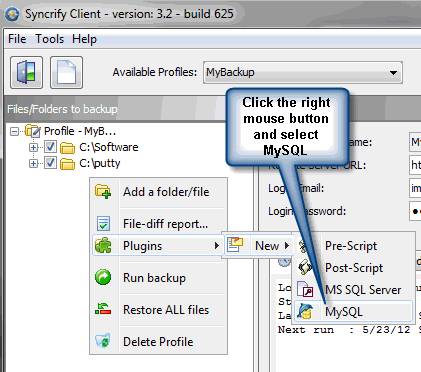
This invokes the following screen
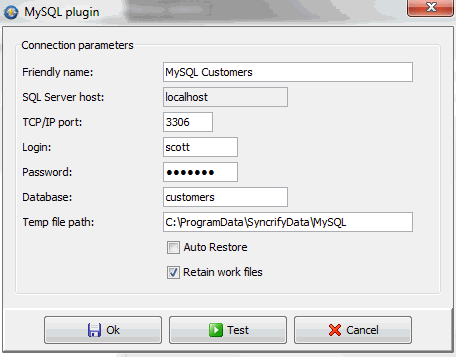
Field Definition
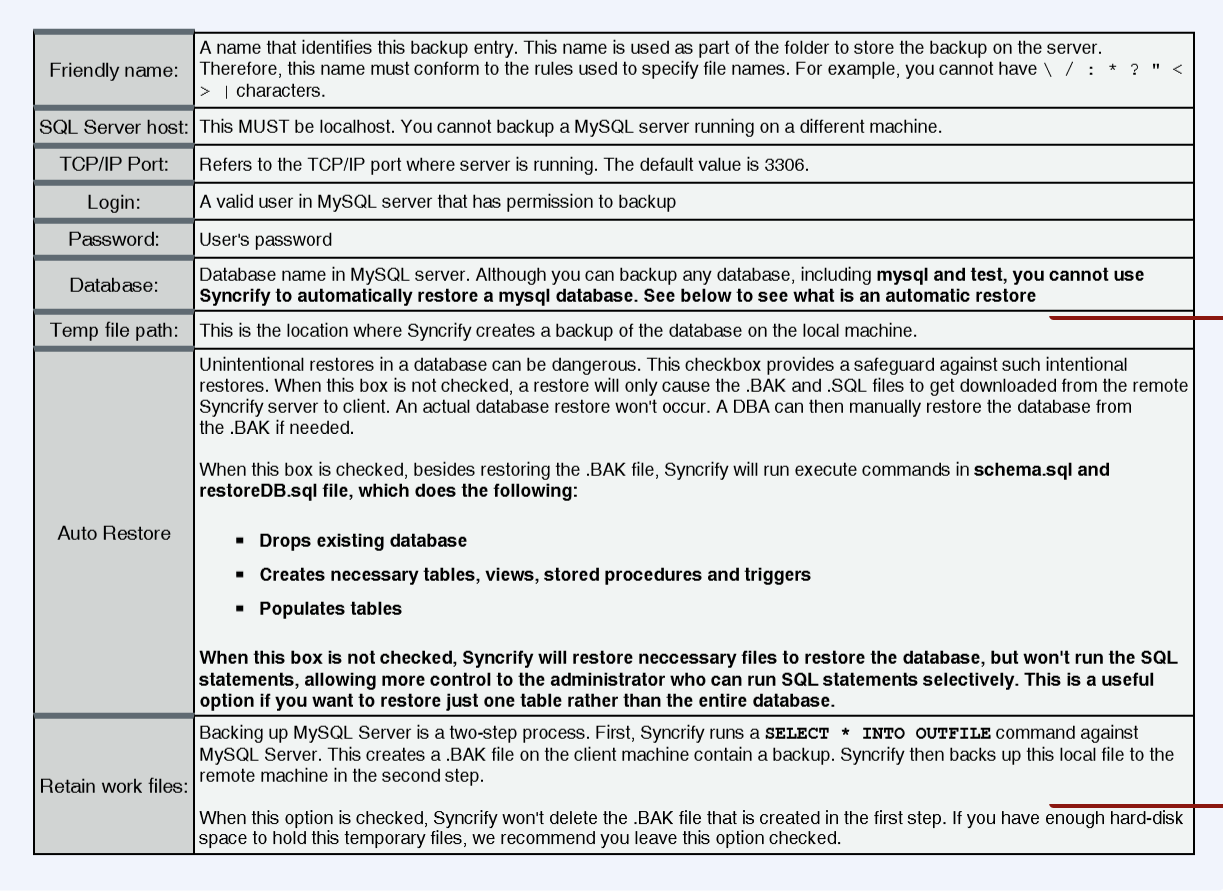
Directions

Manual Restoration
When Auto Restore option is turned off, your must manually restore a database. This includes running SQL scripts in
•schema.sql
•restoreDB.sql
You can use any querying tool to run these scripts.
Query Terminator
Both script files (schema.sql and restoreDB.sql) contain several SQL statements. These statements are terminated by the word go on a line by itself. If you use a tool other than WinSQL, you will have to change this query terminator to a value that is understood by that tool.