MS SQL Plugin
the Backup client can efficiently backup and restore a running instance of Microsoft SQL server. Learn how to configure the SQL server plugin in the Backup client.
Prerequisites
•SQL Server and the Backup client must be on the same machine
•TCP/IP must be enabled in SQL Server.
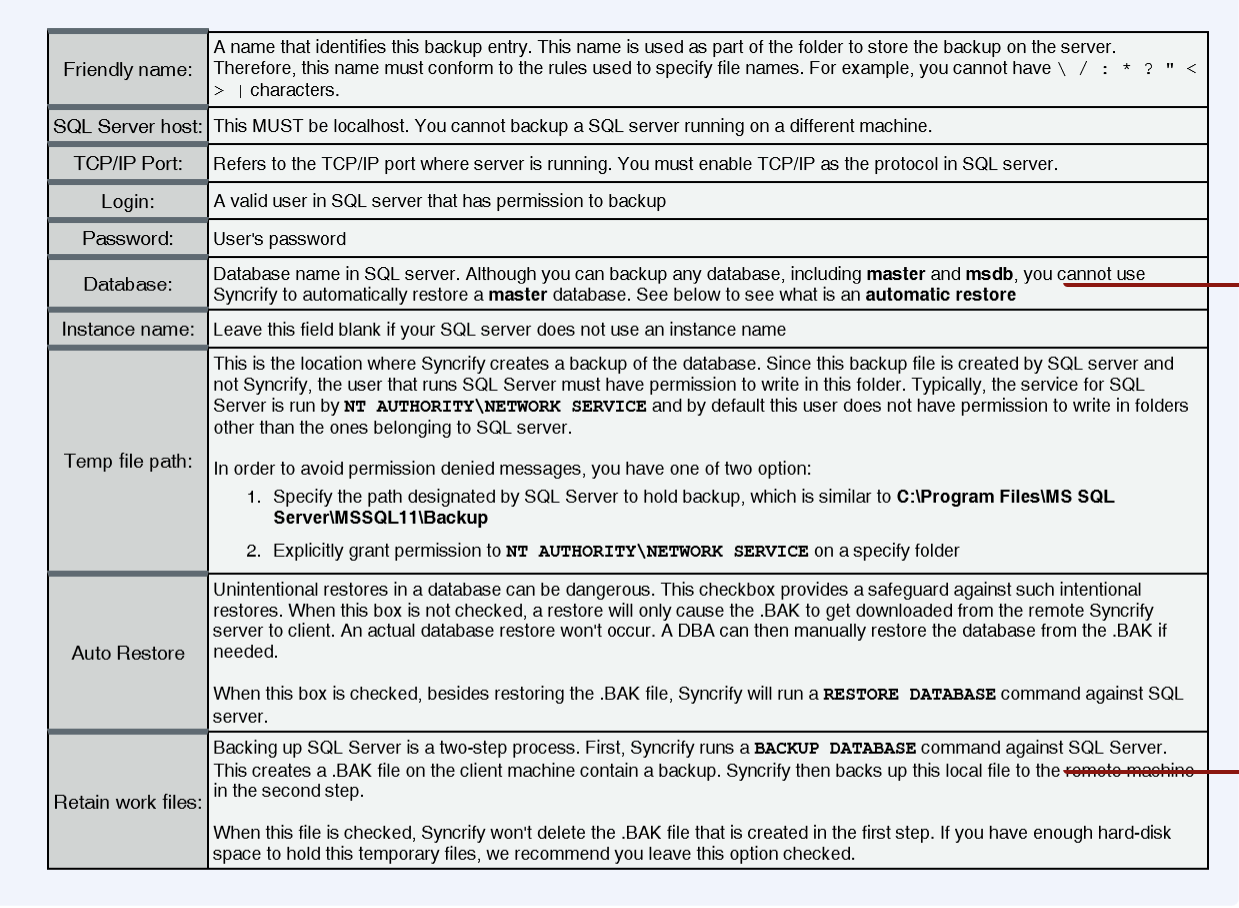
•The user running the service for SQL server must have write permission to the folder where backup is created. Click here for details.
Background Info
Backups to SQL server is run in two steps:
•First, the Backup client issues a BACKUP DATABASE command against the server, which creates a local file containing a backup of the database.
•The Backup client then copies this file to a remote machine
Configuration
•Start the Backup Client, and select your desired profile.
•Click the right mouse button on the left hand side.
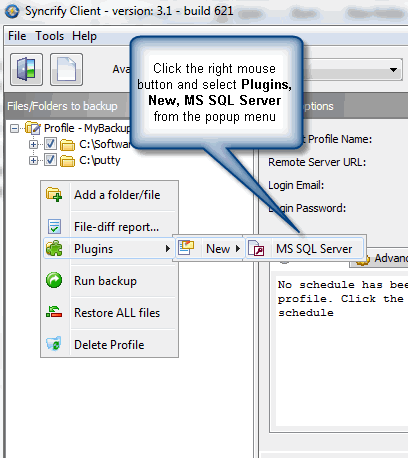
This invokes the following screen
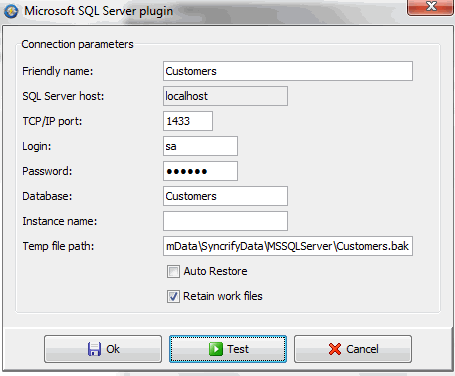
Field Definition
Directions
The Direction option in the Backup client makes this plugin for MS SQL Server acts differently. Following table describes this behaviour.

Manual Restoration
When the Auto Restore option is turned off, you must manually restore a database. Refer to the documentation of MS SQL Server to see how to restore a database for a detail description. In short, you can run the following script:
-- Switch the user to single user
ALTER DATABASE [YourDB] SET SINGLE_USER WITH ROLLBACK IMMEDIATE
go
-- Restore the database
RESTORE DATABASE [YourDB] FROM DISK = N'C:\SQLBackup\YourDB.BAK'
go
-- Change the DB back to multi-user
ALTER DATABASE [YourDB] SET MULTI_USER