Selection filters allow users to include and/or exclude files from a backup run.
How to Enable Selection Filters
•Start the Backup client
•Select the desired profile
•Highlight a top-level folder name.
• Right-click the file to bring up a pop-up menu and select Selection filter.
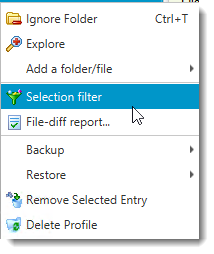
•This opens up another screen where you can type a filter.
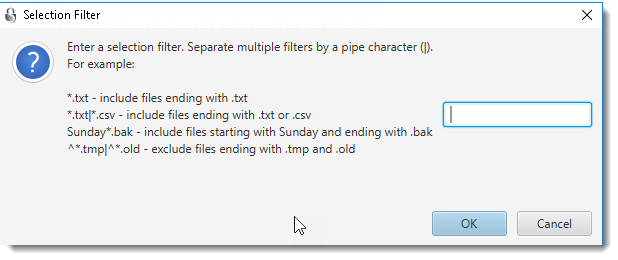
Rules for Specifying Filters
Selection filters accept wildcard characters just like the dir or ls command on your operating system. An asterisk (*) represent one or more characters and a question mark (?) represents one character. Multiple rules can be separated by a pipe (|) character. Use a slash (/) at the end to represent a folder
Examples
Example 1 - Backing up only images
*.jpg|*.gif|*.png|*.bmp
This will cause Accra Backupto backup only image files. Other files in the folder will be skipped.
Example 2 - Exclusion filter
^*.tmp|^*.bak|^*.cvs|^\$RECYCLE.BIN/
This will copy every file but *.tmp, *.bak, and *.cvs. The last token will exclude a folder called $RECYCLE.BIN. An important information to keep in mind is that a $ is a reserved character. Therefore, you must escape it with a back-slash. Other escape characters are %, [, ], (, ),{, }, +