By default, all data files that are backed up by the Accra Backup client are encrypted using military grade encryption prior to it being sent to Accra Backup Servers.
The encryption used by the ACCRA Backup Service is 256 bit AES during file transmission via a secure SSL tunnel created between your computer and Accra secure servers. Once your data is saved in your private storage location all files are stored on an encrypted drive also using 256 bit AES encryption.
The 256 bit AES encryption standard is the same military standard used by the US government to secure documents with TOP SECRET clearance requirements.
Your data files are secure with Accra Backup Service!
Users can backup an encrypted version of the files to the server. When files are encrypted they cannot be seen/opened by anyone unless they know the password that was used to encrypt it.
|
Note that you are entirely responsible for remembering the encryption password used. It is not possible under any circumstances for Accra Solutions Inc. to recover lost passwords. |

It is important you read this article in its entirety before using this feature.
Your files are transferred via an encrypted tunnel not allowing anybody to view or access them during the transfer. In addition the files are stored on an encrypted hard drive on the server the encryption used on the server is 256 bit strong AES encryption. This encryption option allows you to double encrypt your files so that only you will be able to restore them.
Encrypting files has its pros and cons. The benefit is obvious: the only reason you would want to encrypt any file is to prevent non-authorized users from accessing it.
Below are some disadvantages of using this features.
•Speed - When you encrypt files, backups will run slower. Every file that needs to be backed up will be encrypted on the client's end and then will be sent to the server. This time delay is particularly noticeable for large files. For example, encrypting a 1GB file can take approximately 3 minutes.
•Lost password - You will NOT be able to recover your file from backup if you forget the password. Accra Backup Client uses 128 bit strong AES encryption to encrypt files. This type of encryption can take years even for a computer to guess a password.
IMPORTANT: If you use the above encryption option and you loose the password that you used to encrypt your files before transfer, there is nobody in the world that can un-encrypt your data. Your data will be lost. Therefore it is important that you store the encryption password (key) in a safe place.
|
•Entire backup - Every file from your local machine gets copied again if you
ochange your password
oswitch from encrypted to unencrypted mode or
ounencrypted to encrypted mode.
•Restore - The Backup client will be able to restore files without any extra steps. However, if you use the browser to download a file from the server, you will have to manually decrypt it using the Backup client.
How to use encryption
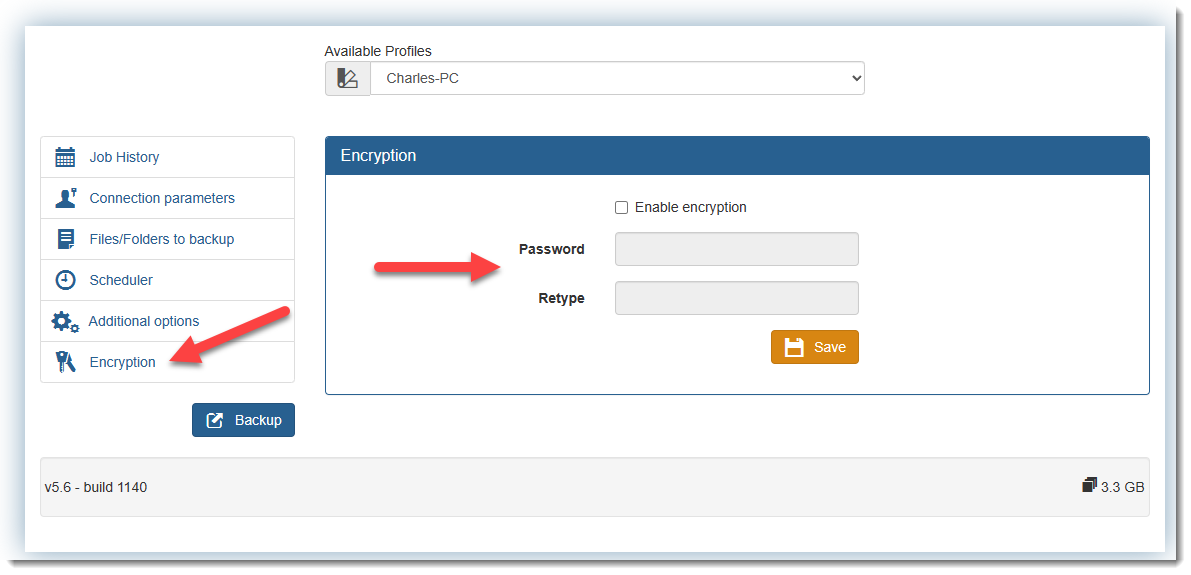
To use encryption simply click on the encryption option, enter your encryption password . For best protection we recommend that you use a strong password The password cannot be more than 16 characters long. Refer to the image below.